Nine Math Acceleration Tools used at OTA:
From 2011-2013, Math scores went up an average of 11% school wide. Five grades are now at >90% Advanced or Proficient in math (vs. only one grade in our first year). We are currently experimenting to see if ST Math software can boost math scores even higher (State testing was suspended for 2013-2014 so we have no test data for year three; but we have re-introduced the an in-house testing system, the NWEA MAP test and will use that to measure future growth^^).
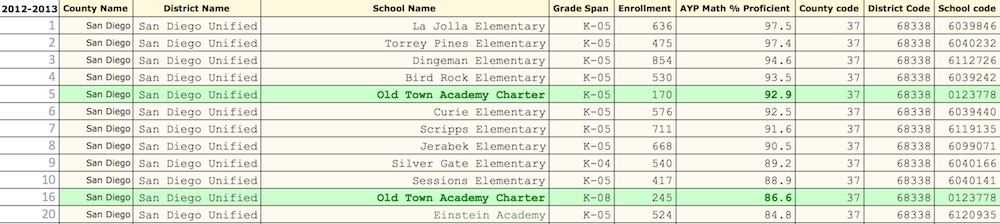
Year Two K-5 Math Scores • OTA Ranked 5th in the District in Math with 92.9% Proficient
*** *** *** Source: Ed-Data *** *** ***
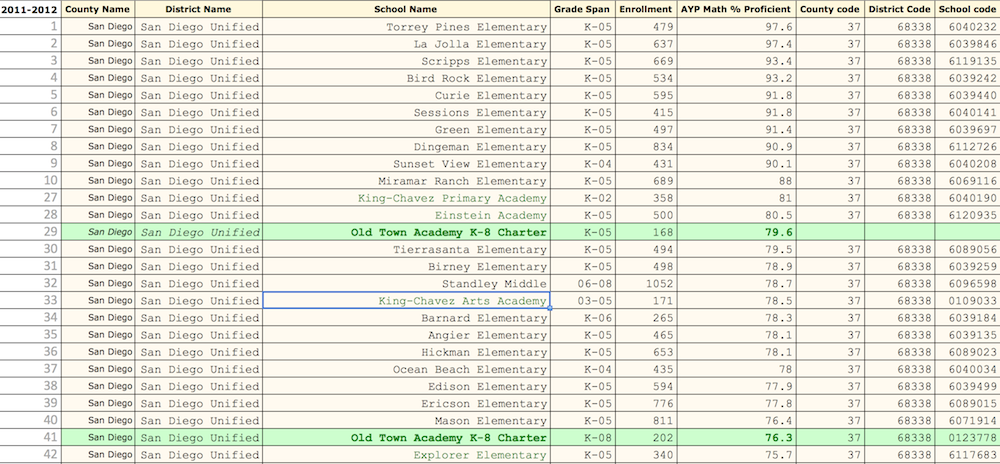
Year One • K-5 Math Scores: OTA Ranked 29th in the District in Math with 79.6% proficient
^^ OTA MAP Math Results for Year 3 (vs. National Norms, SDUSD does not use MAP)
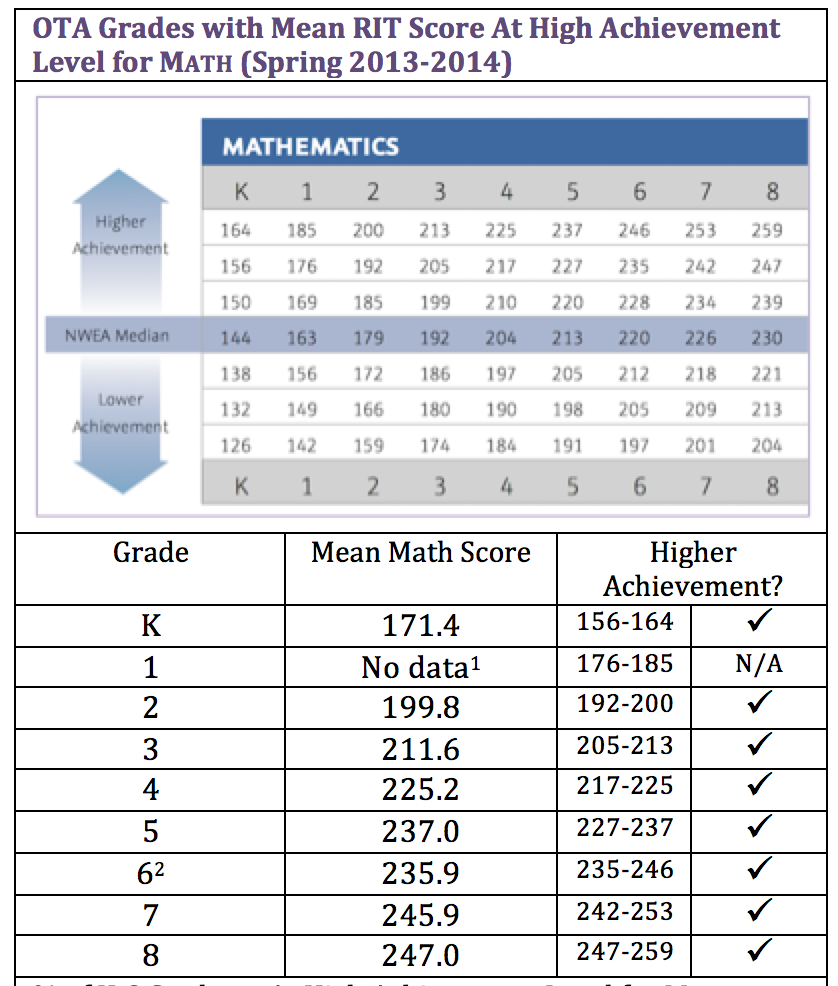
[1] Spring 2013-2014 First Grade MAP Math test never completed due to scheduling conflicts
[2] Sixth Grade switches over from CA 2-5 to CA 6+ Math Test (All MAP Math tests now aligned to Common Core)
**** **** ****
- 1. Saxon Math Sequence: Incremental progress/continuous review. Why Saxon?
- 2. Learning Acceleration Math Lab: Thousands of reps with immediate feedback using IXL* (K-3 and 8 algebra) or ThatQuiz* (4th-8th) in the Math Lab + ST Math*.
*All programs that allow students to work at different levels, move at their own pace, and with ThatQuiz work toward automaticity (speed + competence) Note: all computer/iPad learning time at OTA is dedicated to accelerating core curriculum skills: math, music, geography, etc. Zero computer lab time is spent teaching typing, powerpoint, word processing, iMovie or other peripheral skills that students can pick up on their own (or never, one hopes, in the case of powerpoint!).
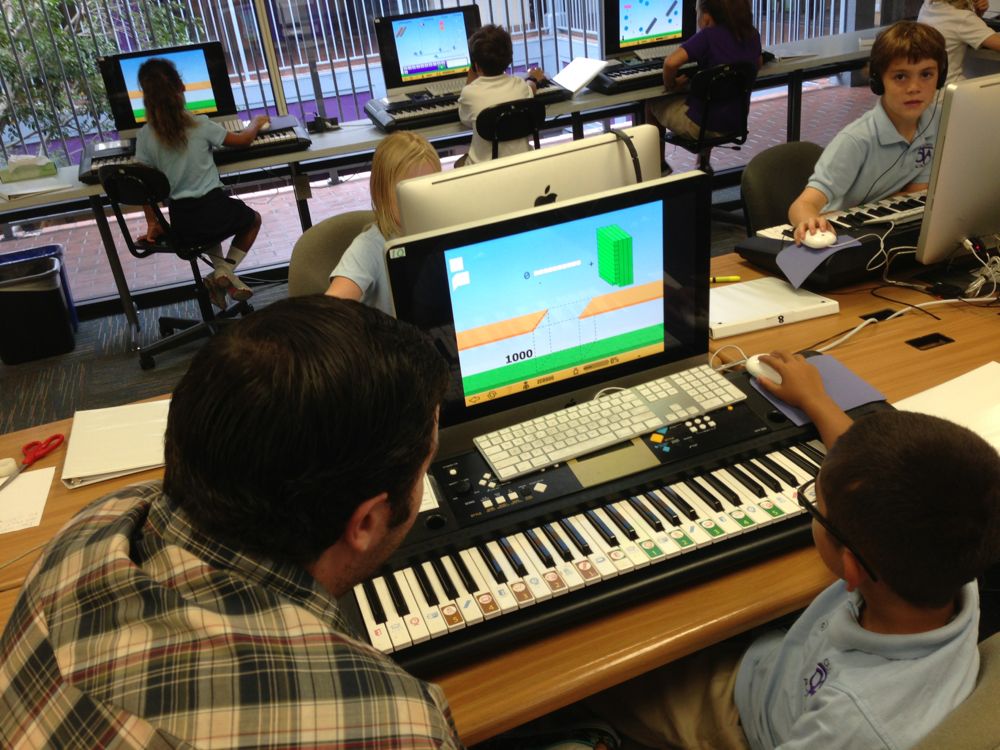
- 3. Real-time Math Lab Coaching (vs the day after you did your homework) by teachers and volunteers as the students work on computer problems. When they fail to hit their TargetScore they ask for help (which they are very much less likely to do in the regular classroom). They have a clipboard and sharpened pencils by each station, they get a lesson from teacher or volunteer, then go right back in and try multiple problems again with instant feedback. This probably quintuples each student’s one-on-one coaching time and at least triples their Smart Practice time.
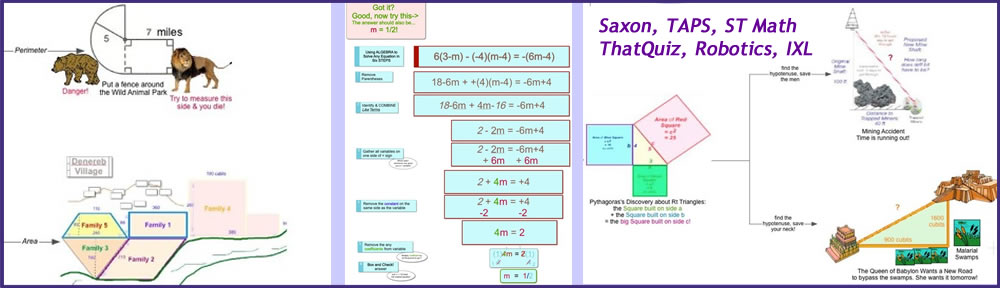
- 4. TAPS (Talk, or Think-Aloud-Problem-Solving) coaching in grades 4-8 (often on problems directly from CST. TAPS is students talking aloud (teaching) the teacher or volunteer how to solve problems).
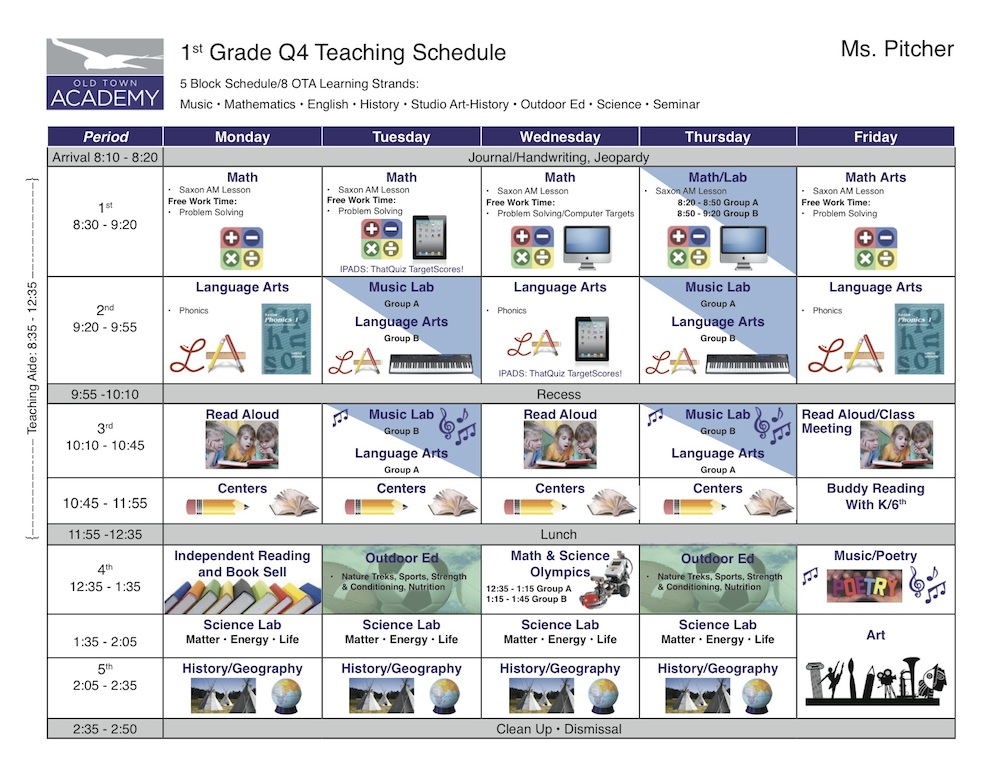
- 5. A Student-Centered Schedule that supports our emphasis on math. The entire school devotes 60-90+ minutes of math at beginning of every day; Learning Acceleration Math Lab time or iPad card scheduled at least 2x/week; at home access to computer games for “outside the box” learning. No unnecessary half-days, assemblies, early dismissals. OTA students were in the classroom or the Learning Acceleration Lab 163 hours more than students at the local public school (that adds up to 23 extra seven-hour school days!).
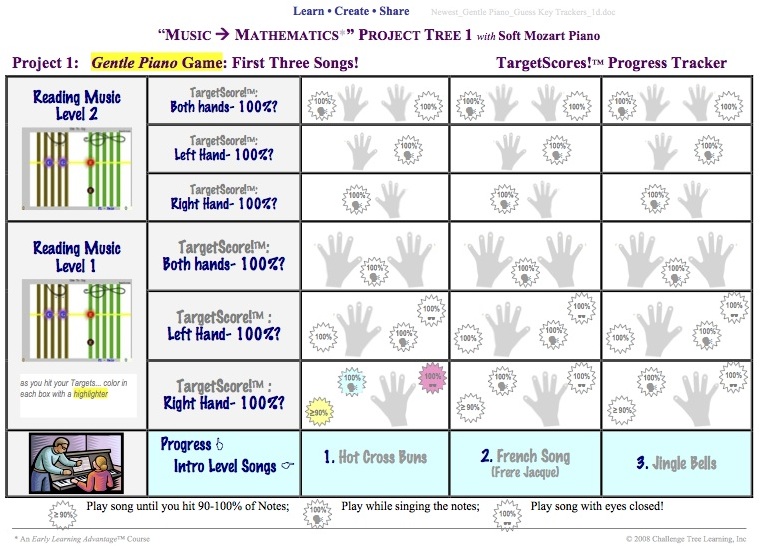
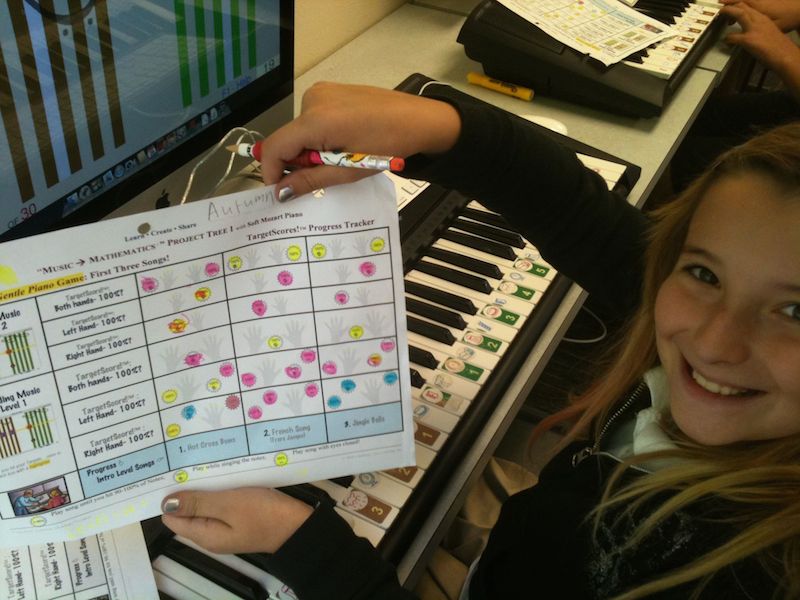
- 6. TargetScore Project Trees for all computer games. Too many learning software titles offer a cafeteria approach–leaving it to students to choose which games to play, etc. –we lay the computer learning goals out in Visual Progress Trackers (TargetScore Project Trees) tied to an Grading Scale (Achievement Ladder) so kids are always on track. They know the goals, they drive themselves to finish the Computer games. If they visit the lab for a 30 minute session, we see them getting 29 minutes of intensive work (in other words: 96.6% of Lab Time is Learning Time!)
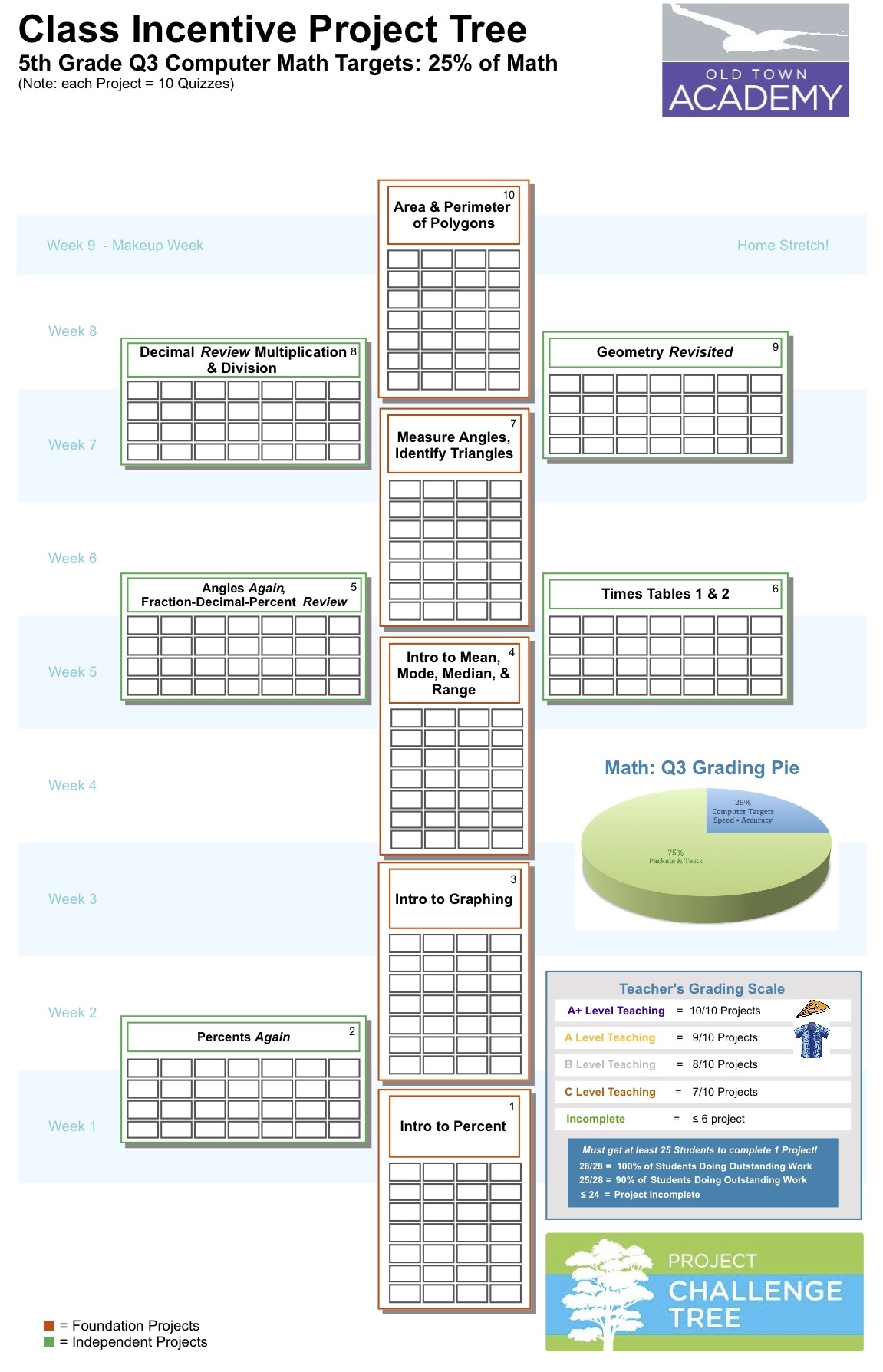
- 7. Computer Math gets a Slice of the Grading/Incentive Pie: Computer math achievement is counted toward final math grade so kids take it seriously.
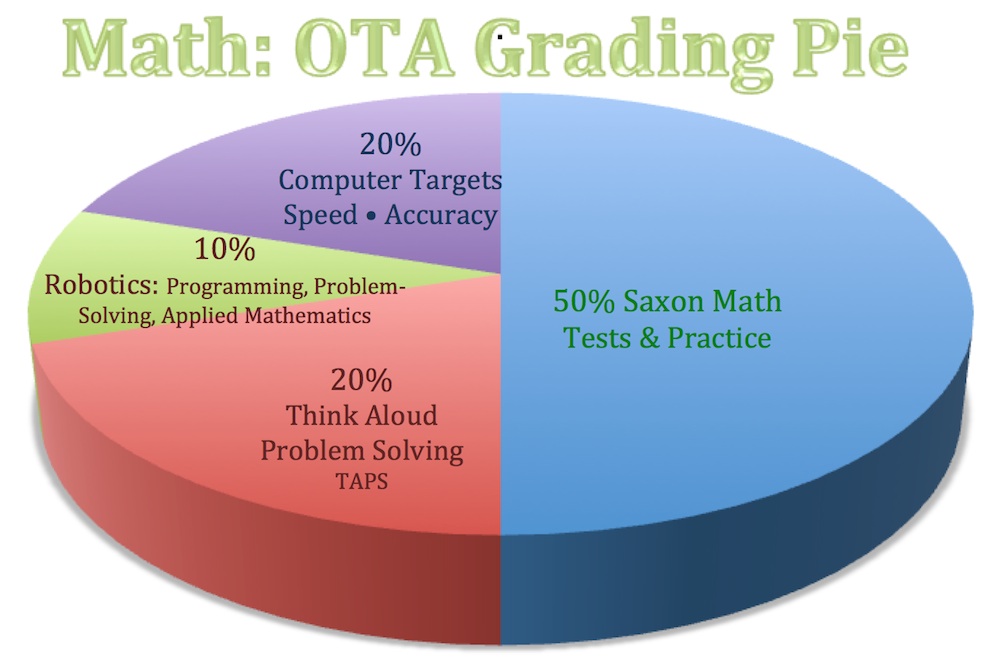

| Give Computer Math Games a Slice of the “Grading Pie” so kids take lab time seriously. | Explain to Students: Why do we give you these Math Acceleration Games? |
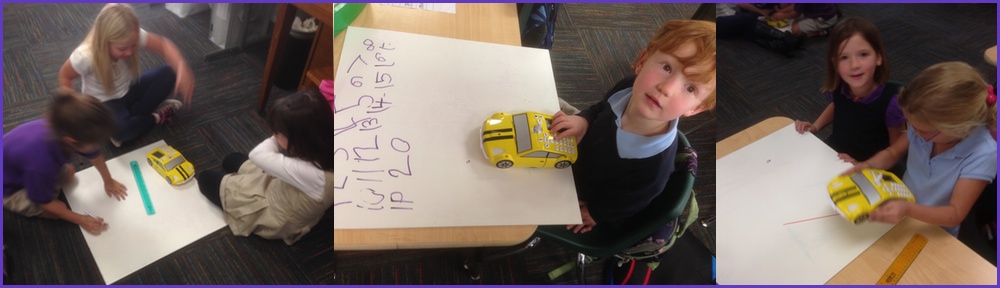
- 8. Real-World Applications of Math so kids see the point of math (we’ve at least started this in science/STEM and robotics: using math to make art (a robot with a
pen!), run through the Math & Science Olympics Course, etc.… whether it helps test scores or not is debatable but it will help morale! and gives us an immediate answer the age-old question: What good is this stuff?).
-

- 9. Piano Instruction for all K-8 students 2x/week in the Learning Acceleration Lab. What does piano have to do with math? Studies on the Music (especially piano) to Math connect have shown very strong (up to 34%) increases in spatial temporal reasoning skills needed for math, chess, engineering, and science; even children as late as 9th grade who studied piano had significantly higher math scores. Finally, see Northwestern professors research on how studying music seems to
boost general intelligence and prevent the brain from aging!