

iBooks: How to sync iBooks between devices
Your books, collections, highlights, notes, and bookmarks are available automatically across your Mac and iOS devices—just use OS X Mavericks, iOS 6 or later, and the same Apple ID to sign in to the iBooks Store.
OS X Mavericks v10.9 and later includes the iBooks app. This app works like iBooks on your iOS devices.
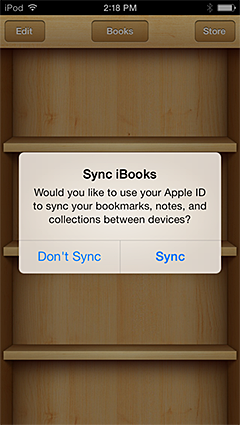
If you buy a book on your Mac, it’s automatically available on all of your iOS devices with iOS 6 or later. The same is true if you purchase a book from your iOS device. iOS 7 even prompts you if you already have purchased content. You can even synchronize your bookmarks, notes, and collections across your devices.
Items purchased on other devices may appear in your library with a cloud badge in the corner of the book’s cover. This indicates that the item is available, but hasn’t been downloaded to your Mac or iOS device. To download the item and start reading it, simply click or tap the book you want to read. The book downloads and opens after a few moments, depending on your current connection speed.
If you don’t see all of your purchased items in iBooks, make sure you “Show All Purchases” is turned on:
To see all your purchased books on your Mac, choose View > Show Purchases in iCloud.
To see all your purchased books on your iOS device, choose Settings > Books > Show All Purchases.