ST Math – Accessing Homework

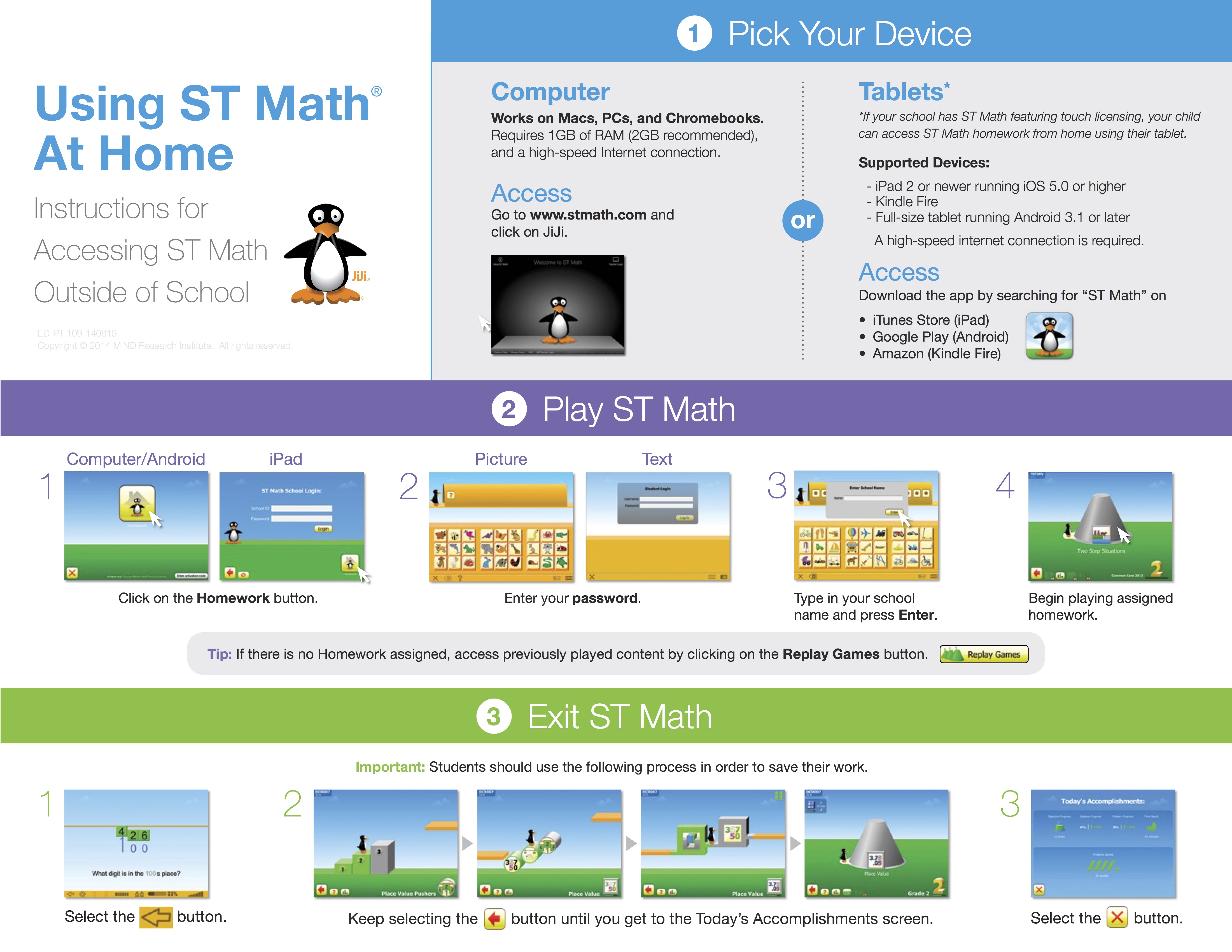
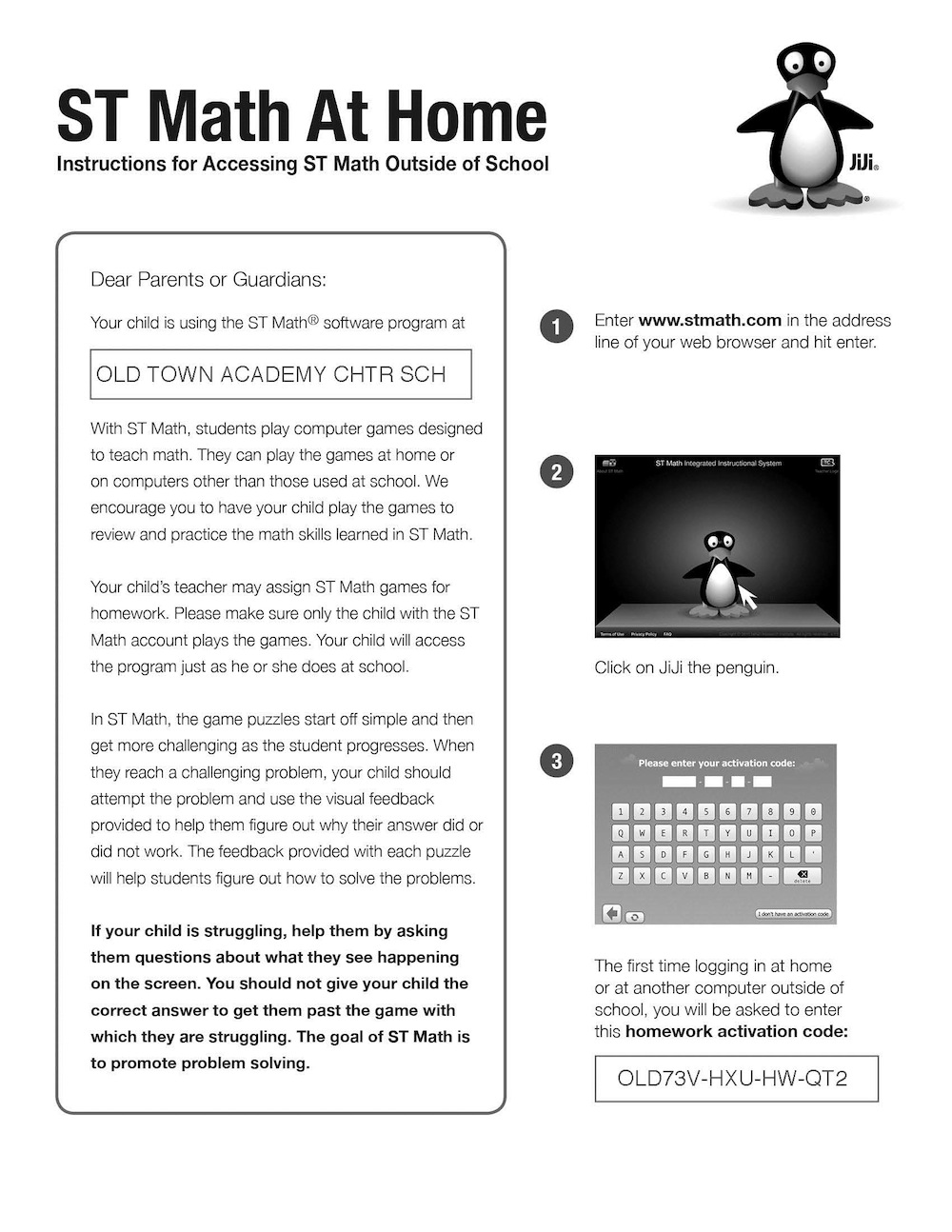
To access ST Math at home students need a computer with internet access.

  1. Go to stmath.com. Click on JiJi.
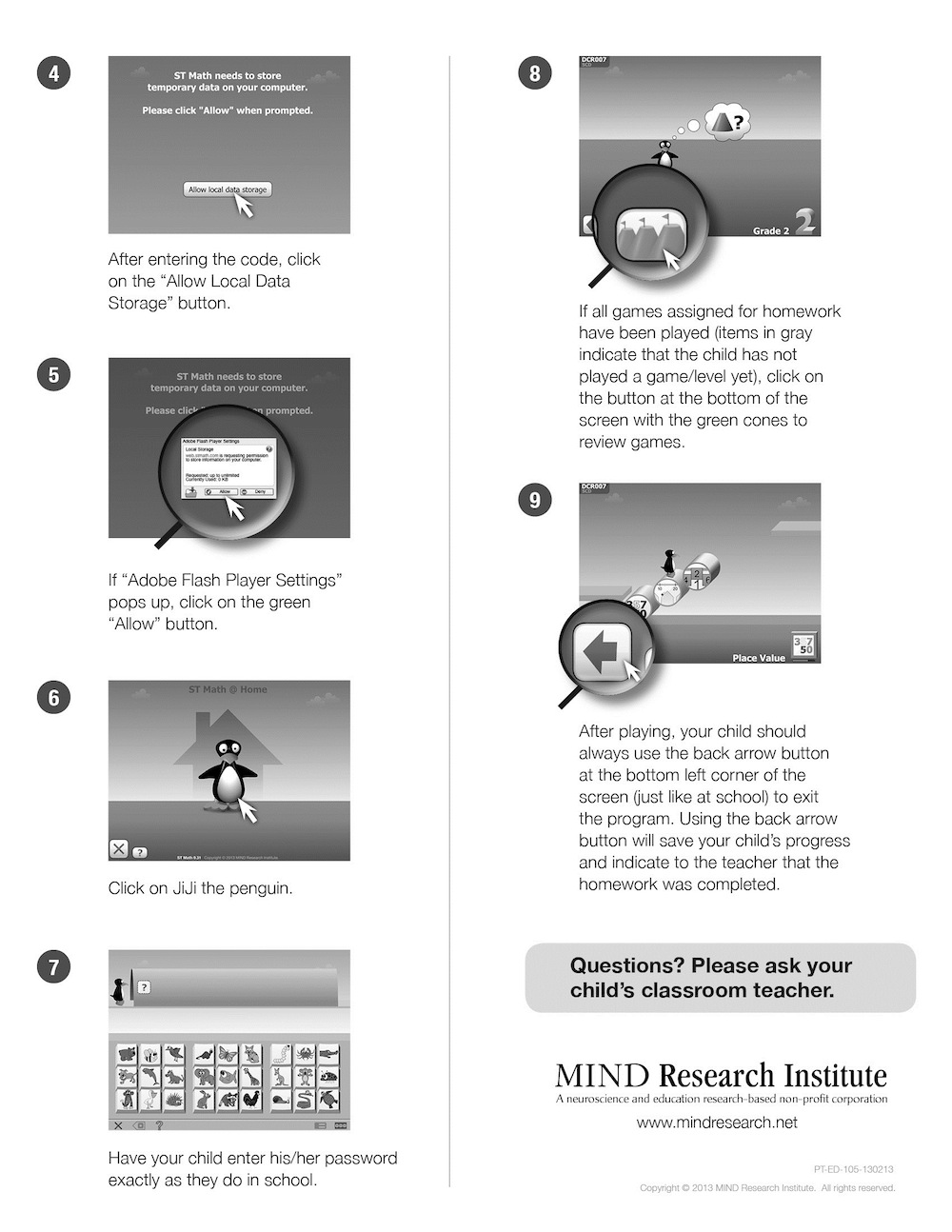
  2. Click on the Homework button.
  3. Enter your ST Math password.
  4. Enter your school name and press Enter.
  5. Begin playing assigned homework or click the green objectives button at the bottom to play objectives that have been completed.

Tip: If there is no Homework assigned, access previously played content by clicking on the green cones.

stmath

iBooks: How to sync iBooks between devices

iBooks: How to sync iBooks between devices

Your books, collections, highlights, notes, and bookmarks are available automatically across your Mac and iOS devices—just use OS X Mavericks, iOS 6 or later, and the same Apple ID to sign in to the iBooks Store.

OS X Mavericks v10.9 and later includes the iBooks app. This app works like iBooks on your iOS devices.

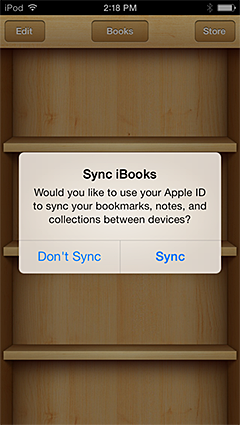
If you buy a book on your Mac, it’s automatically available on all of your iOS devices with iOS 6 or later. The same is true if you purchase a book from your iOS device. iOS 7 even prompts you if you already have purchased content. You can even synchronize your bookmarks, notes, and collections across your devices.

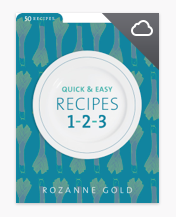
Items purchased on other devices may appear in your library with a cloud badge in the corner of the book’s cover. This indicates that the item is available, but hasn’t been downloaded to your Mac or iOS device. To download the item and start reading it, simply click or tap the book you want to read. The book downloads and opens after a few moments, depending on your current connection speed.

If you don’t see all of your purchased items in iBooks, make sure you “Show All Purchases” is turned on:

To see all your purchased books on your Mac, choose View > Show Purchases in iCloud.

To see all your purchased books on your iOS device, choose Settings > Books > Show All Purchases.

via iBooks: How to sync iBooks between devices.

iBooks Textbook How to Export your Notes & Highlights: Choose Notes->Tap Share->Choose Edit, Select All-> Email

Re: iBooks 1.2 – Notes export??

This is now possible in the latest iBooks (I tested with iOS 6)

  •  In the Notes section,
  • tap the Share Icon,
  • choose Edit,
  • Select All, then
  • email it.

Work amazing, even keeps the highlight color and context intact.

NitroGuy

  • You can also try Digested. Imports all highlights with a single click

via iBooks 1.2 – Notes export?? | Apple Support Communities.

How to export iBooks note to Evernote step by step

Export iBooks Notes to Evernote step by step

by Vicki Davis

I shared how to Export your Kindle notes and highlights onto an Evernote card. Some of you use iBooks and may want to do something similar. Here are the two methods to get your notes and highlights from iBooks into Evernote.

Method 1: Exporting iBooks Notes to Evernote if you have a Mac.

Right now, the simplest way to pull from iBooks into Evernote is to use the Mac app called “Digested.” When you plug in your iBook device, it helps pull the data into Evernote. (See http://www.cultofmac.com/222010/digested-sucks-notes-and-highlights-from-ibooks-and-spits-them-out-in-evernote-or-pdf/)

Method 2: Export iBooks notes by mailing the notes to yourself or to Evernote from inside your iBook App

Step 1 – Inside iBooks, you can click on a book.

Step 2 – Click on the book you want to get the highlights from.

via How to export iBooks note to Evernote step by step.

Smart Practice • What’s the best way to Practice? – NYTimes.com

Other factors are much easier to control. For instance, scientists have shown that performance itself — that is, testing oneself, from memory — is a particularly strong form of practice. One of the studies that the new review paper includes found that chess masters with similar abilities varied widely in the amount of hours they reported practicing, from 3,000 to more than 25,000.

“We may find when looking more closely that playing in tournaments, under pressure, is an important factor,” Dr. Hambrick said.The content of isolated practice is another. In dozens of experiments, scientists have shown that mixing related skills in a single practice session — new material and old, scales and improvisation, crawl and backstroke — seems to sharpen each skill more quickly than if practiced repeatedly on its own.

Varying the place and timing of practice can help as well, for certain skills, studies suggest. [cf Piano Videos: slow, fast, down an octave, up an octave]]

“The question is: What is the optimal kind of practice in the area you wish to achieve expertise?” Dr. Ericsson said. “These are things we are now beginning to study, in areas like medical training.

”Practice time is critical indeed, and its contribution to accumulated expertise is likely to vary from one field to the next as the new paper found, experts said. Personality is an enormous variable, too, although partly genetic. “Things like grit, motivation, and inspiration — that ability to imagine achieving this high level, to fantasize about it,” Dr. Kaufman said. “These are things we don’t know much about yet, and need to study more directly.”But in the end, the most important factor over which people have control — whether juggling, jogging or memorizing a script — may be not how much they practice, but how effectively they use that time.

via How Do You Get to Carnegie Hall? Talent – NYTimes.com.

The best stylus for iPad: we review the hits and misses | The Verge

While no iPad stylus is perfect (how much fun is drawing on glass using a pen, really?), we’ve thrown together our favorites and given each a run with Paper, our new go-to scribbling app, to present you with the best stylus for iPad, once and for all. Check out the Verge Scores beneath each stylus, and then refer to the Wrap Up section at the bottom of the page to see complete Score breakdowns

via The best stylus for iPad: we review the hits and misses | The Verge.