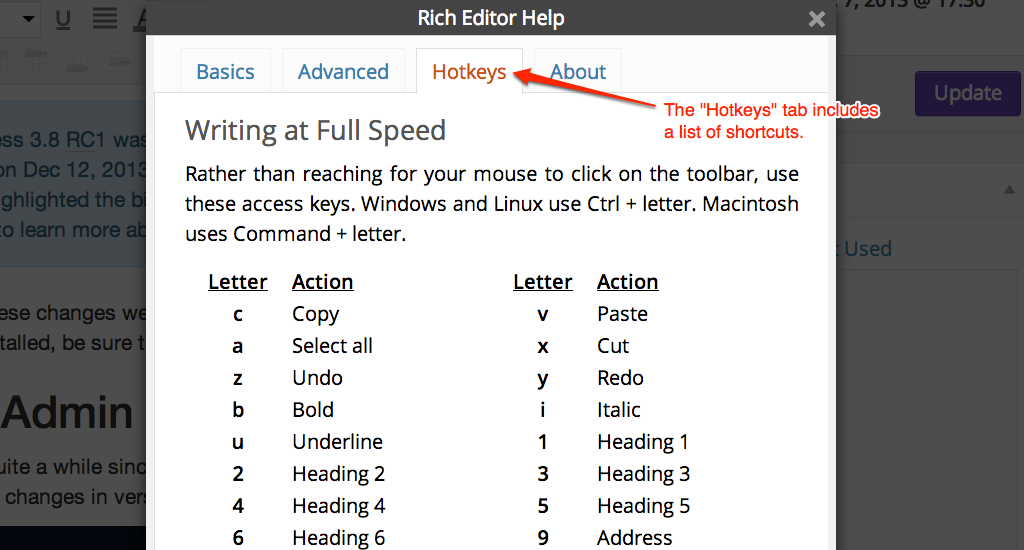
List of WordPress Keyboard Shortcuts for Writing at Full Speed

Problem with Safari

Unfortunately, Safari has a different behavior for cmd + 1, cmd + 2, etc. They open a website from your Favorites Bar. There is no default way to turn off this functionality, and even deleting all your favorites doesn’t work. Open source to the rescue. There’s a plugin you can add to Safari to change the default behavior to switching tabs. I haven’t tested to see if this will allow the Headings shortcuts to work or not, so if you use Safari & are willing to give this a shot, please let us know.

If you know of any WordPress keyboard shortcuts that we left out, please let us know in the comments.

via List of WordPress Keyboard Shortcuts for Writing – WordPress Hotkeys.

Can I distribute my iPhoto slideshow using the iPhoto theme music selection to YouTube or would that be copyright infringement?

There are a number of con-men who think that they can earn a quick buck from claiming that they own the copyright to Apple’s royalty-free jingles and sound effects included with the iLife applications. These are all free to use, as clearly stated in section 2.C of the iLife Software License Agreement:

“You may use the Apple and third party audio content (“Audio Content”) contained in or otherwise included with the Apple software, on a royalty-free basis, to create your own original soundtracks for your video and audio projects. You may broadcast and/or distribute your own soundtracks that were created using the […]

via Can I distribute my iPhoto slideshow using the iPhoto theme music selection to Facebook or would that be copyright infringement? – goto: answer.

Hints for New Bloggers: Change Category, Enlarge Photo, Add Title!, Making Doc Links open in New Window

http://youtu.be/ndIGY8pEREM

Hints for New Bloggers:

Change Category: by default the category will be Announcements– but if every post is in Announcements and not Language Arts, History or Math, etc., then category links in the sidebar (one of WordPress’s most powerful content-management-tools) will be useless. As you make a new post if you save draft before you choose history or math, etc. it will default to Announcement… so best to get in the habit of choosing the category/ies when you open a new post window.

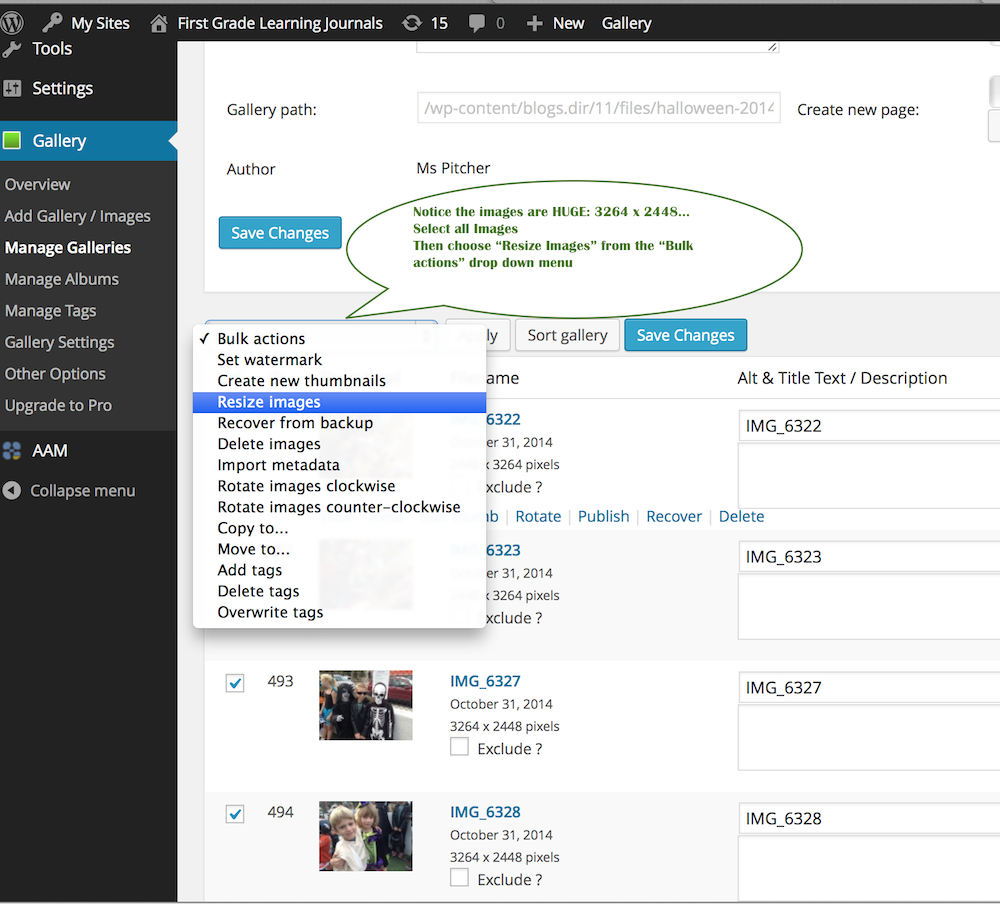
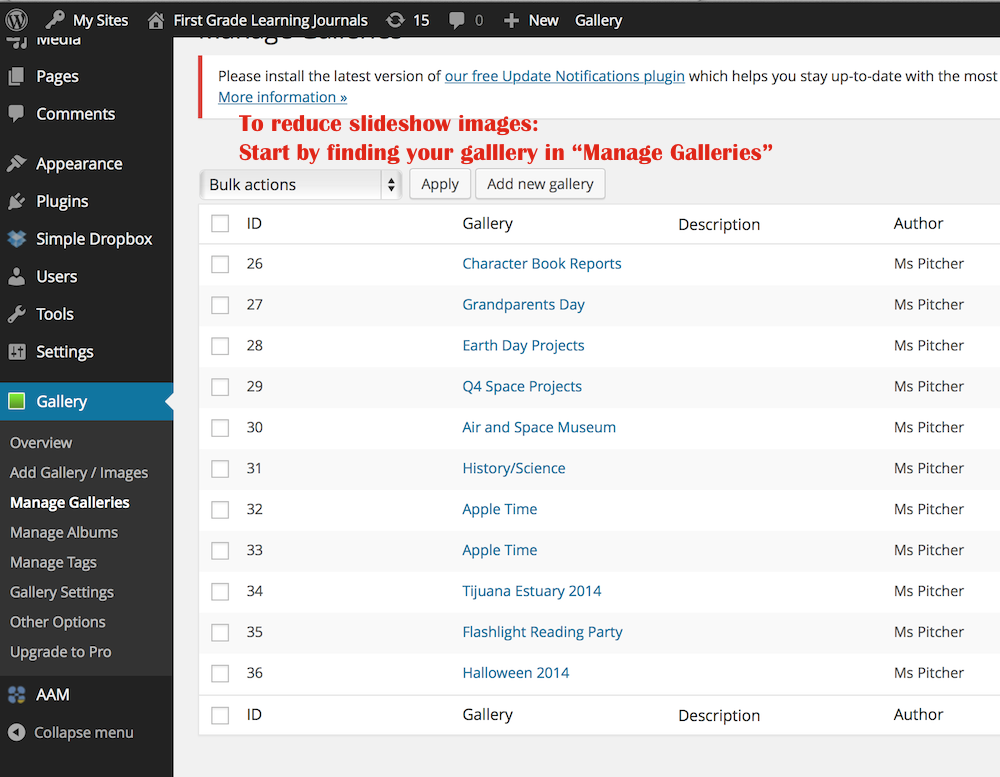
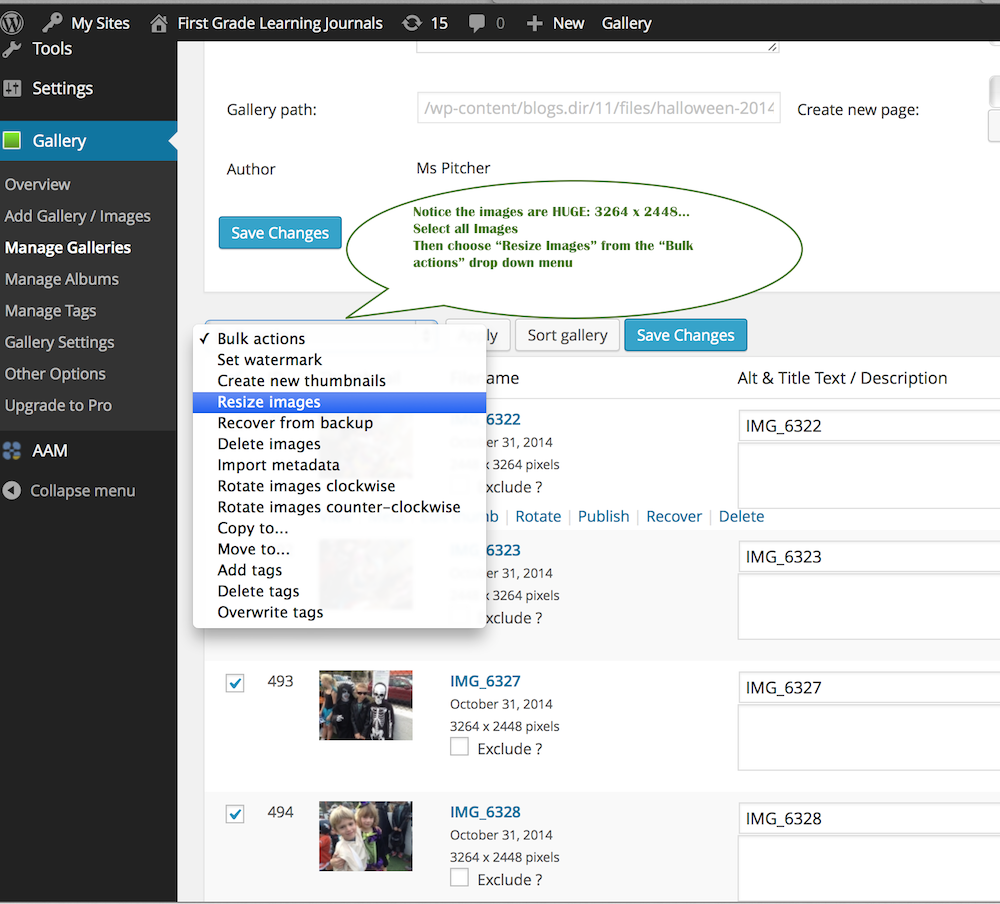
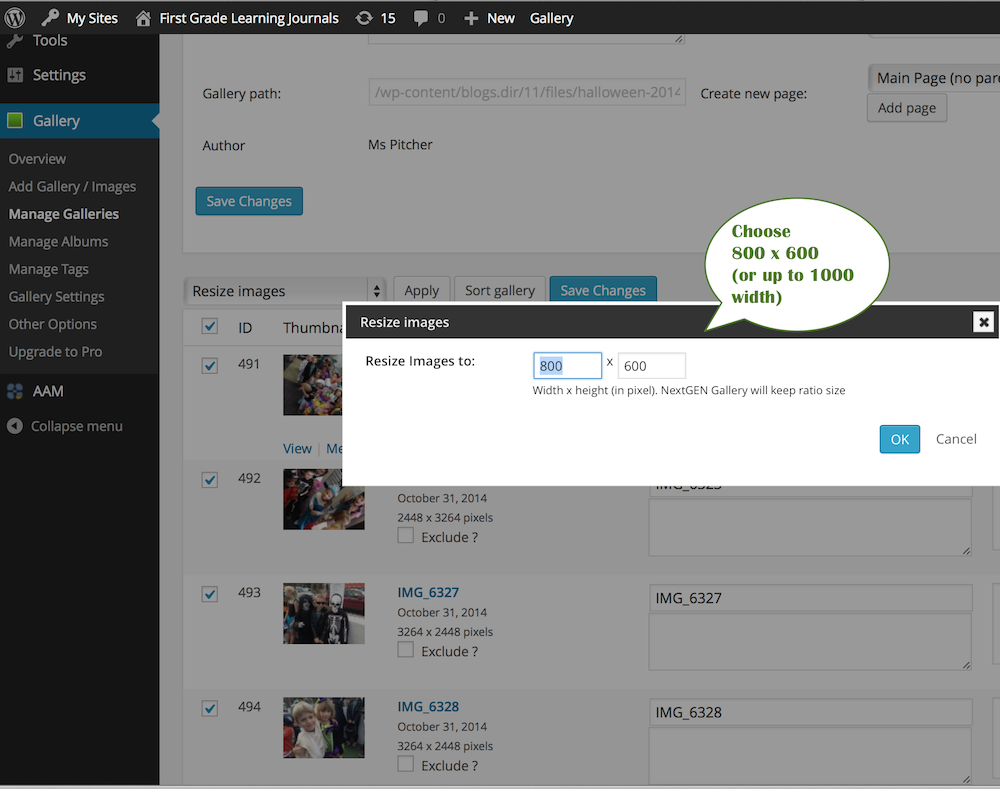
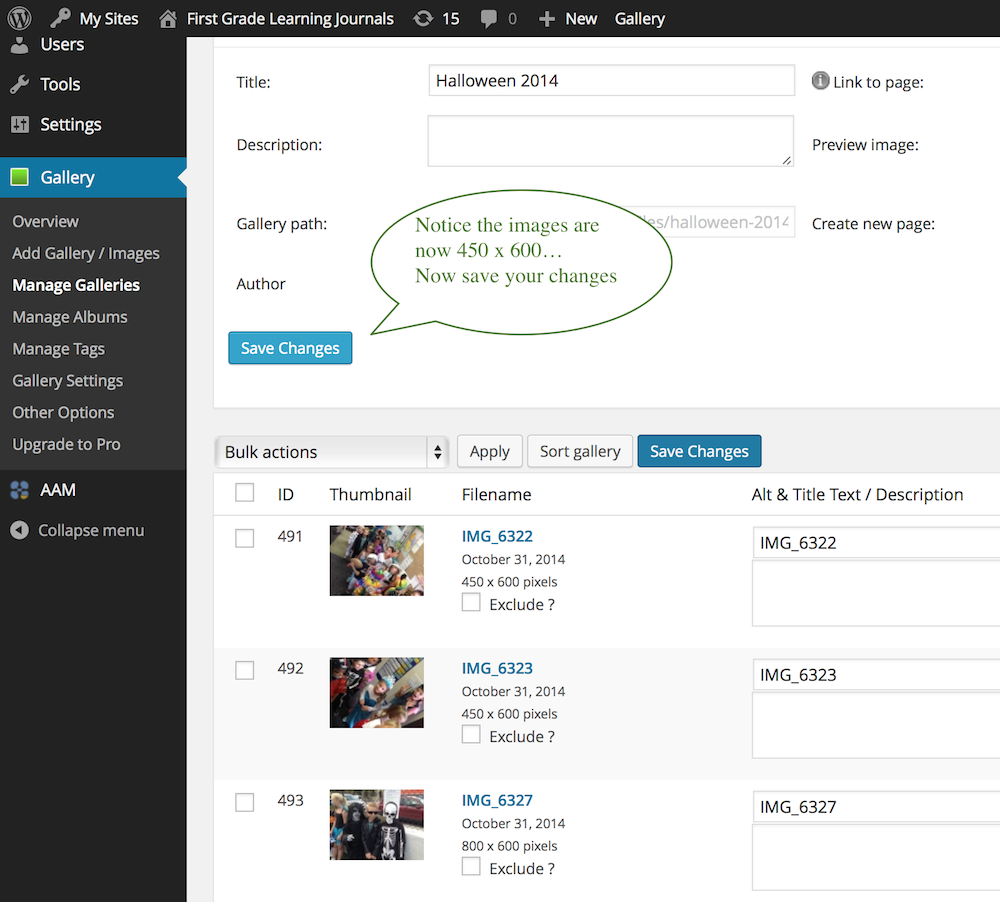
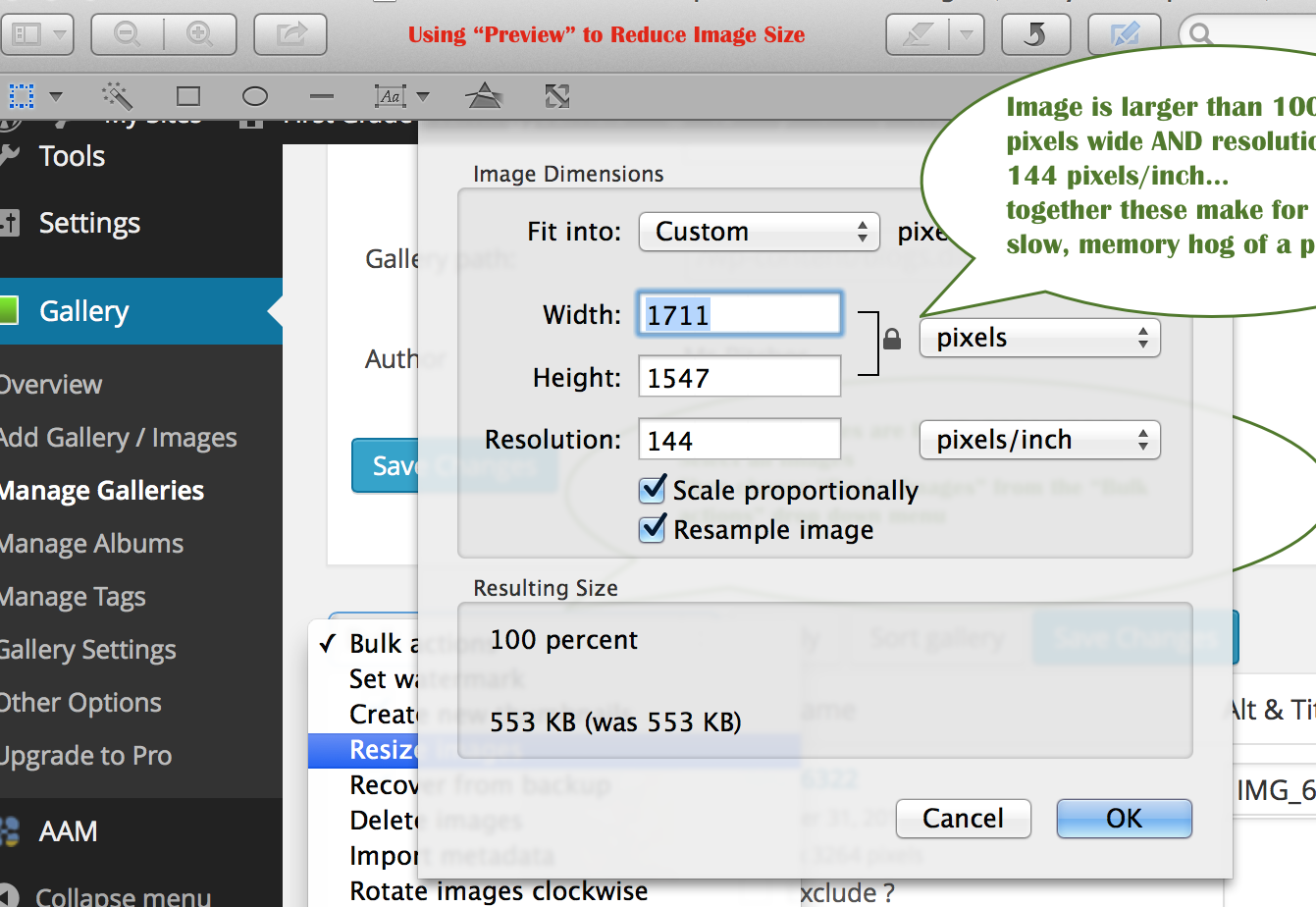
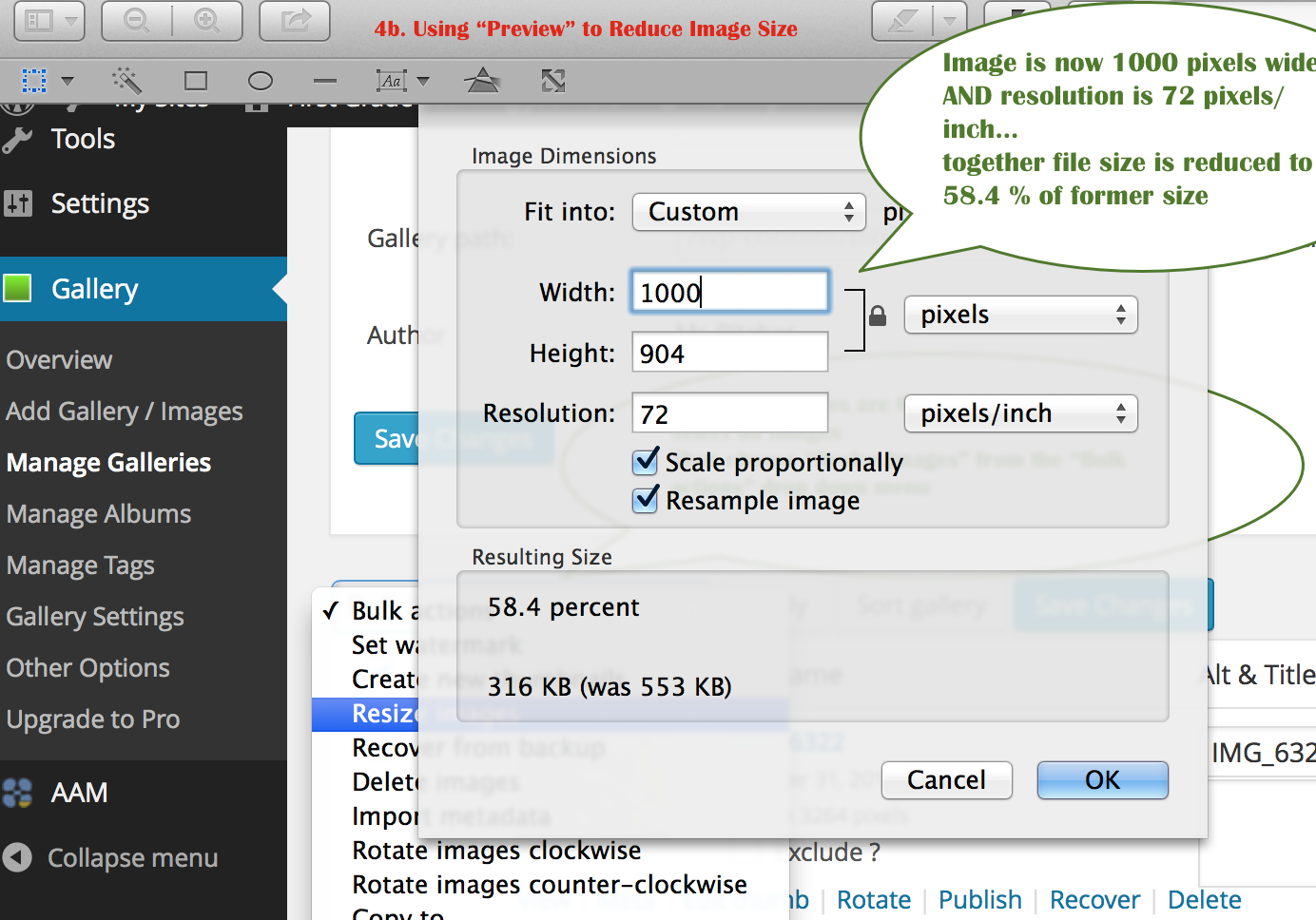
Enlarge Photo: we want photos to be as large as possible, but not so large that they break out of the frame–no more than 1000 px wide and they should be 72 dpi. You can batch edit the size of multiple photos in Preview* photo editing program that comes with your mac… or when making slideshows and importing multiple images through gallery, choose the reduce to 800 X ? option… *Note; you can set Preview to a custom width of
no more than 1000″ and it will remember it.

Add Title! Can’t forget to add a title to each blog–that’s what shows up in search, in Latest Posts, etc.

Making Doc Links open in New Window: if you choose open in new window it leaves your blog post open in a tab while student or parent looks at the syllabus, etc. they are downloading.

How to Make (and Post) a Live Inspiration Project Tree for ThatQuiz or any subject!

Step 1: Use ThatQuiz Project Tree (aka: Computer TargetScores TEMPLATE: please use the Template: why? the Template helps you set up a Visual Learning Path (prepared, progressive, path to excellence), a Grading Scale (Achievement Based), it has ten Projects (not too many for kids to internalize), including branch projects (reminds you to set challenges, or review projects for you top students), and parents with children in multiple grades will recognize the template and know how to use it), add live links to your ten ThatQuiz webpages

Step 2: Export Your Inspiration Project Tree as a Web Pages: “Diagram or Mind Map Page”  (not a Site Skeleton)

Step 3: Use a FTP program to upload your exported Inspiration Web Page (that will be a folder with a png and a separate html doc) to the html folder on the OldTownAcademy web host server:

  • For example, “Transmit” is an ftp program–looking for free one!
  • otacharter.org is our website
  • ftp@otacharter.org is the address for your ftp upload
  • oTa!92110  is the password for OTA server access

Step 4: Open the html file using. e.g., Google Chrome, copy the source code
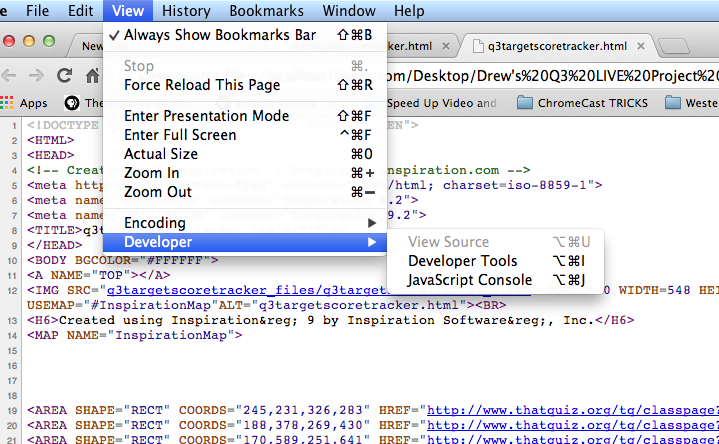
Screen Shot 2014-02-04 at 7.07.30 PM

Step 5: Insert Code into the TEXT Tab of a new WordPress Post

Step 6: Add a / mark here:

Where to put Forward Slash in Live Project Tree html Code

Step 7: Save, Publish, Preview… check your links…

See sample below! ↓

==================================

Sample of a Live ThatQuiz “Project Tree” from 4th Grade:

Click Project Tree Links (e.g. Add-Subtract Whole Numbers) to open ThatQuiz Projects

*** *** ***Intro to ThatQuiz-Games that Make You Strong

The goal of ThatQuiz math challenges is to help students make basic math skills “Automatic” so they can concentrate on solving word problems in the Saxon Math Text and the TAPS Project Trees (Think Aloud Problem Solving)…. and real math problems from Science, Robotics, Cooking, Carpentry, Money, and more!

*  To start using ThatQuiz… Continue reading →
Intro and Guidelines for Student Web Logs (Blogs)

  • ◊ update this with images: black background etc.

Dear OTA Student:
Your personal Learning Journal is designed to help you create a record of your quality work (and your growth over a year) in the 8 OTA Core Learning Strands— Music, Science, Math, Seminar, English, Art, History, & Outdoor Ed.

The Categories available in the sidebar are set to match those 8 Strands and you should mark every post with one or more of those categories.

Why Create An Online Learning Journal?

  • Blogs are very powerful content-management systems: which means they allow you to create a beautiful, multimedia record of a year’s worth of work and retrieve it instantly when you need it (by just clicking on the category of posts you want to see or by using the SEARCH Box to find all posts with the word “music” or “football” etc.)— but only if you use the Categories!
  • Publishing your work on your Web Log ( = “Blog“) will often be the last step in earning a Passing Grade on a Project, or extra credit.
  • When you are ready to apply to high school (choice programs like IB or an art magnet, or a private school) your Blog will be a Portfolio of all your best work that might just help you get in.
  • You work hard to earn a passing grade on your OTA Projects, why throw them away? Now you can keep them, share them, go back and improve them as you learn more. If the work’s worth doing it’s worth keeping.

To Create Your Learning Journal You Will Have to Learn to:

  • Scan, convert, and upload Text and Images (working with .doc, .pages, .pdf, .txt, .jpb, .png, inspiration, etc. files). Note: before you can upload word or pages documents you must convert them to pdfs or images.
  • Create Slideshows and manage image databases.
  • Edit and convert movies and music or sound files (working with .mov, .wmv, .qt, .mp3 etc. files), and
  • Use the WordPress dashboard (content management system) to create, edit, categorize, and publish posts)

Things You Can Change On Your OTA Blog:

  • The Header–from pre-selected photos in second quarter (Q2). In Q3 you can customize it with your own photography or artwork.
  • The Picture of the Week–you add a new picture every week… from your own or classmate or teacher’s photos or scans or artwork.
  • Continue reading →